
How Clouder handles your Cloudflare credentials.
Account requests go from your device straight to api.cloudflare.com, and your tokens stay on the device. A few optional features use services run by Layton Labs; this page lists each one and what it receives.
updated October 2026. The privacy policy, effective March 15, 2026, is the authoritative text.


- Manager tokenKept in the Keychain on your device. Used only to create the scoped token.
- Clouder-App tokenScoped, one per device, renewed every 30 days. Used for every request.
- api.cloudflare.comAnswers over HTTPS. Delete the token in your dashboard and access ends.
In short
- Account operations go directly from your device to api.cloudflare.com over HTTPS.
- On iPhone and iPad, tokens live in the iOS Keychain, pinned to the device: no iCloud sync, no restore onto another device from a backup. On Android, credentials are stored only on the device.
- Clouder works with a scoped token that you can see, and delete, in your Cloudflare dashboard.
- Push alerts, the Clouder Agent and anonymous usage analytics use services run by Layton Labs. None of them receives your Cloudflare API tokens.
Signing in
There are two ways to connect your account.
- A Manager token
- You create a token in the Cloudflare dashboard from the Create Additional Tokens template, with the API Tokens: Edit permission. Clouder uses it for one thing only: creating a scoped token for this device.
- Your own token
- Bring an API token scoped to exactly the permissions you choose. Clouder shows what it covers in a permissions checklist, and you can re-check or replace it later without signing out.
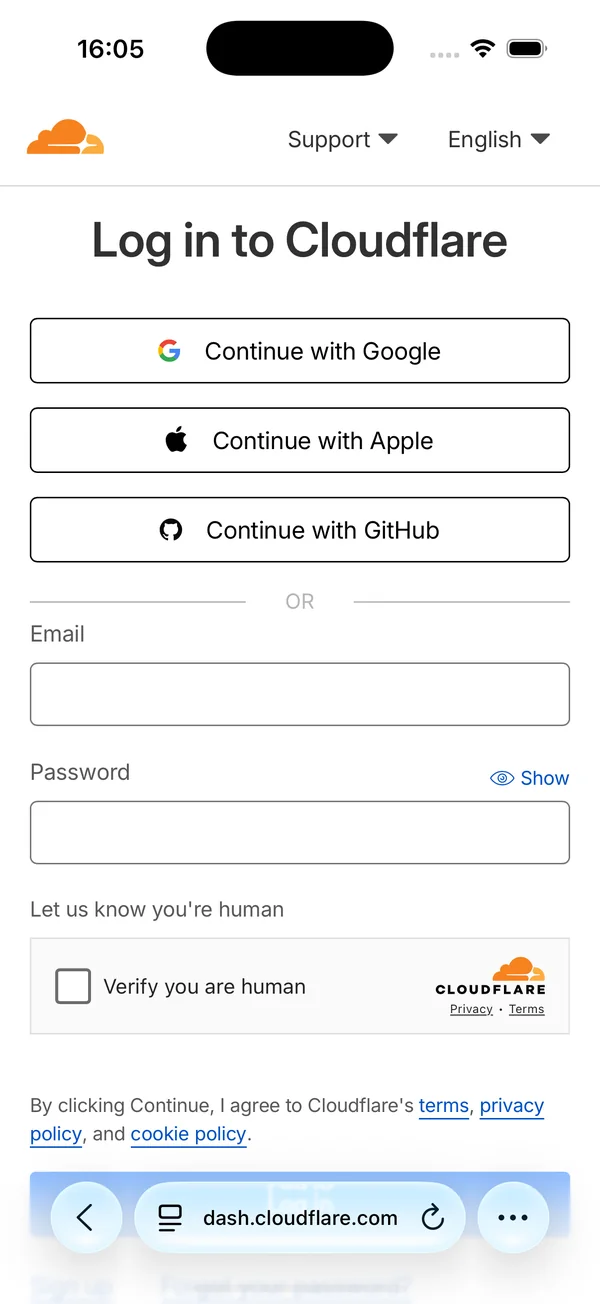
When you need to sign in to Cloudflare along the way, Clouder opens Cloudflare's own login page at dash.cloudflare.com, and Clouder never asks for your Cloudflare password.
If you paste a Global API Key or an Origin CA key where a token belongs, Clouder tells you what you pasted.
The scoped Clouder-App token
With a Manager token, Clouder creates a second token for this device, named Clouder-App followed by a device ID and a timestamp. Every API call uses it. It carries only the permissions Clouder needs, it expires after 30 days and renews automatically, and each of your devices gets its own.
- Least privilege
- The scoped token has specific permissions, not full account access.
- Visibility
- You can see the token in your Cloudflare dashboard at any time.
- Revocability
- Delete it in Cloudflare and Clouder loses access immediately.
- Expiry
- It expires after 30 days and renews automatically.
Token permissions
The scoped token is created with permissions for the services Clouder manages. These are the permissions documented when the token system launched; the token permissions checklist in the app shows the current list, which grows as Clouder adds features such as WAF rules and Zero Trust.
| Permission | Purpose |
|---|---|
| Workers Scripts | Monitor Workers deployments and logs |
| Workers R2 Storage | Browse and manage R2 buckets |
| Workers KV Storage | Manage KV namespaces |
| D1 | Query and manage D1 databases |
| Pages | Manage Pages projects |
| Analytics | View zone analytics |
| Zone | Manage zones and websites |
| DNS | Manage DNS records |
| Stream | Manage video streaming |
| Vectorize | Manage vector databases |
| Workers AI | AI inference |
| Queues | Manage message queues |
| Cloudflare Tunnel | Manage tunnels |
| Images | Manage Cloudflare Images |
Where your data is stored
On iPhone and iPad, this is where each piece of data lives and where it goes.
| Data | Kept in | Leaves the device |
|---|---|---|
| Manager token | iOS Keychain, this device only | Sent only to api.cloudflare.com |
| Clouder-App token | iOS Keychain, this device only | Sent only to api.cloudflare.com |
| Your own OpenAI key, if you add one | iOS Keychain, this device only | Used for the Clouder Agent |
| Account ID | On the device | Sent to api.cloudflare.com, and to the notification service when push alerts are on |
| Device ID | On the device | Part of the scoped token's name, and used to register the device for push alerts |
| Preferences | On the device, in the app sandbox | Alert preferences go to the notification service when push alerts are on |
| Support ID | iCloud Keychain, synced across your devices | Anonymous; hashed before it is used for AI rate limits |
There is no Clouder server holding your Cloudflare tokens. On Android, credentials are likewise stored only on the device, and API calls go directly to Cloudflare.
Services Clouder uses
These are the services involved, and what each one receives. The privacy policy has the full text.
- Cloudflare API
- Every account operation, sent directly from your device with the scoped token.
- Notification service
- A Cloudflare Worker run by Layton Labs. When you turn on push alerts it stores your device's push token, your Cloudflare account ID, a device ID and your alert preferences. Notifications carry alert details only: type, zone name and status. Logging out removes the registration.
- AI proxy
- The Clouder Agent sends your messages and information about your resources, such as Worker and project names and configuration, through a proxy run by Layton Labs to an AI provider. Conversations are not stored after processing. Tokens and the contents of your data are not sent.
- Usage analytics
- Anonymous feature usage: screens viewed, features used, app version, platform and subscription status, with a random ID per installation. No names, email addresses, IP addresses or Cloudflare account information. Kept for 90 days.
- Workers AI
- Photos, recordings and text you give the Workers AI screens go to Cloudflare Workers AI and are not stored permanently.
- RevenueCat
- Manages Clouder Pro purchases. On iOS it receives anonymous purchase data from Apple.
- Google AdMob
- Shows ads to free users. With App Tracking Transparency permission, AdMob may use the advertising identifier for personalized ads, and users in the European Economic Area are asked for consent first. Clouder Pro shows no ads and collects no advertising data.
Check it yourself
In the Cloudflare dashboard
Sign in at dash.cloudflare.com, open My Profile, then API Tokens, and look for a token whose name starts with Clouder-App. Open it to see exactly what it is allowed to do.
On the network
Route your phone through a proxy such as Proxyman or Charles. Account operations go to api.cloudflare.com, sign-in uses Cloudflare's own pages, and the remaining connections belong to the services listed above.
Revoke access
Delete the token (recommended)
In the Cloudflare dashboard, open My Profile, then API Tokens, find the Clouder-App token and delete it. Clouder can no longer make any API call. If you signed in with a token of your own, delete or roll that token instead.
Delete the app
Deleting the app signs you out. iOS keeps an app's Keychain items after the app is deleted, where no other app can read them, and Clouder clears them the first time it starts after a reinstall. The Clouder-App token stays on Cloudflare until it expires after 30 days or you delete it, so delete the token first, then the app.
Questions
Can Clouder reach my account without my knowledge?
No. You provide the token yourself, and any token Clouder creates is listed in your Cloudflare dashboard, where you can delete it at any time.
What if something at Clouder were compromised?
Your Cloudflare tokens live on your devices, not on servers run by Layton Labs, so there is no central store of credentials to steal. On each device, the scoped token limits what can be done, and deleting it in the dashboard ends access at once.
Does Clouder collect analytics?
Yes, anonymous feature usage: which screens and features are used, with a random ID per installation, kept for 90 days. Free users also see ads served by Google AdMob. Neither includes your Cloudflare data.
Why trust an app whose code is not public?
You do not have to take it on trust. The token is visible and revocable in your Cloudflare dashboard, you can watch the network traffic yourself, and the app goes through Apple and Google review before every release.
Is my data encrypted?
In transit, every request uses HTTPS. At rest on iPhone and iPad, tokens sit in the iOS Keychain, pinned to the device, and preferences stay in the app sandbox.
Report a security issue
If you have a question or concern, or have found a security issue, email security@getclouder.app. Contact details for researchers are also in security.txt.
Try it on your own account.
Free on iPhone, iPad and Android. Not affiliated with Cloudflare, Inc.