
Cloudflare traffic, alerts and incidents at a glance.
See where requests come from and how each zone is doing, get a push alert when something changes, and follow an incident from the first alert until it is resolved.
plan Basic traffic analytics, status monitoring, widgets and push notifications are free. Live incidents and advanced analytics need Clouder Pro.


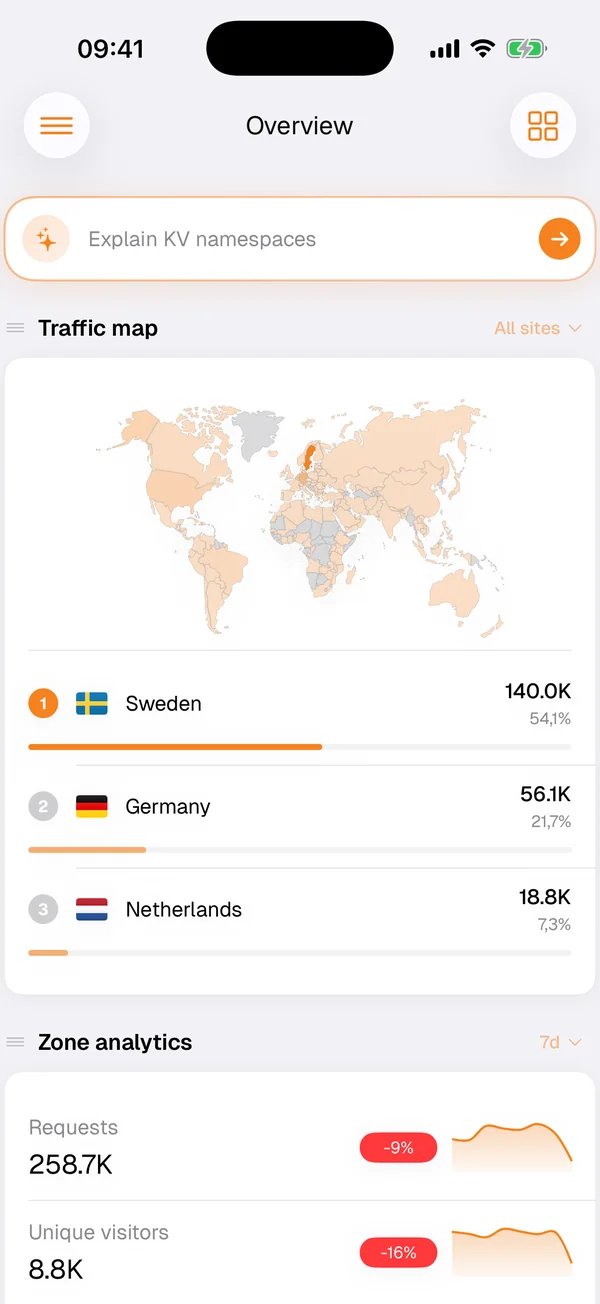
Traffic at a glance
The Overview screen puts your zones' traffic on a world map and ranks the countries it comes from, with requests and unique visitors for the period you pick. A sudden new country at the top of the list is often the first sign of a bot or a campaign that went further than planned.
Interactive charts go deeper into traffic, bandwidth, requests and security threats, and Workers, Stream and D1 have analytics of their own.
Web Analytics
If your sites use Cloudflare Web Analytics, Clouder shows page views, visits and Core Web Vitals, broken down by country, referrer, browser and device. It is a quick check after a release: did the new page slow anything down, and where did today's visitors come from.
Alerts, status and widgets
Status monitoring keeps an eye on your zones and services. Push notifications tell you about infrastructure events and detected incidents, and notification policies decide which alerts reach you. Home screen widgets show your account at a glance without opening the app.
Live incidents
With Clouder Pro, Clouder watches your zones for unusual traffic and origin errors. When it spots one, it opens an incident, alerts you and builds a live timeline of what happened and when. From the alert you can switch on Under Attack mode, purge the cache or mark the incident resolved.
On iPhone the incident follows you on the Lock Screen as a Live Activity. On Android it stays in an ongoing notification that updates as things change.
CriticalOpen
Origin error rate
Opened 6 min, 12 sec
Request trend
Mitigations
Timeline
- Incident opened6 min, 12 sec
- Severity escalated5 min, 40 sec
- Enable under attack mode3 min, 8 sec
- Purge cache2 min, 31 sec
A live incident, recreated from the app with example data: Under attack mode is on, the cache has been purged, and the timeline records each step.
Audit log
The audit log shows who changed what on your account, grouped by day and searchable by person, action or zone. Open an entry for the full picture, including the exact values before and after the change, ready to copy into a ticket or a postmortem.
What an alert contains
Push alerts are delivered by a notification service that Layton Labs runs on Cloudflare Workers. It stores your device's push token, your Cloudflare account ID and your alert preferences. The notifications themselves carry alert details only, such as the alert type, zone name and status, never your Cloudflare data. Logging out removes your device's registration. The privacy policy has the details.
Free and Pro
Free
- The traffic map with requests and unique visitors
- Basic traffic and request analytics
- Status monitoring, widgets and push notifications
Clouder Pro
- Live incidents with a timeline and one-tap mitigations
- Lock Screen Live Activities on iPhone, a live notification on Android
- Advanced analytics and metrics
Try it on your own account.
Free on iPhone, iPad and Android. Not affiliated with Cloudflare, Inc.