
Cloudflare Workers and Pages, from your phone.
See every Worker with its last deploy, open one for its metrics and logs, change the routes that send it traffic, and check how your latest Pages build went.
plan Browsing Workers and Pages is free and read-only. Real-time tail logs, deploys, route changes and Pages deployment logs come with Clouder Pro.


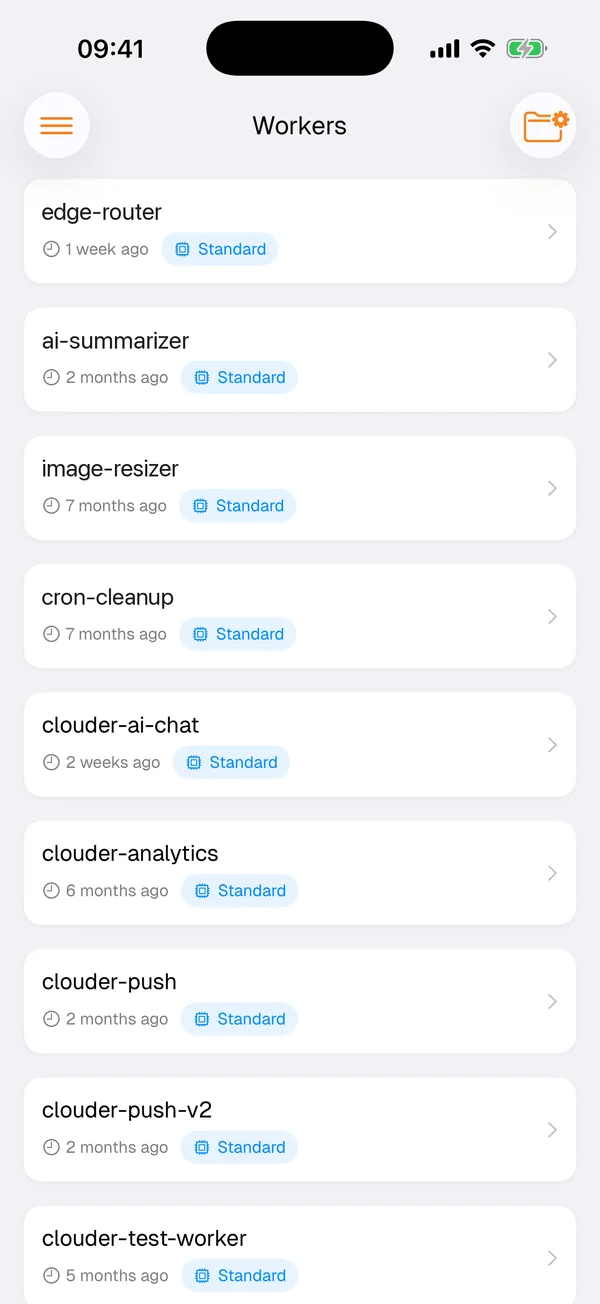
Your Workers at a glance
The Workers screen lists every script on the account with the time of its last deploy and its usage model, so you can tell from the list whether last night's release went out. Open a Worker to read its execution metrics and manage the script.
Everything on the screen comes from the Cloudflare API, requested from your device with your own token. There is no Clouder server in between holding a copy of your account, so what you see is what Cloudflare reports right now.
Real-time tail logs
When a Worker misbehaves, its own output is usually the fastest clue. With Clouder Pro you can open a real-time tail for a Worker and watch its logs arrive as requests come in. Reproduce the problem in your phone's browser and read what the Worker printed a second later.
A tail shows live requests only, so start it before you reproduce the issue. For the longer view, Pro adds advanced analytics for your Workers.
Routes
Routes decide which URL patterns run which Worker on each domain. Clouder lists them per zone, and with Pro you can add, edit or remove a route. A route without a Worker excludes a path from a broader pattern, which is how you keep a health check or a folder of static files away from your Worker.
example.com/api/*
edge-router
example.com/api/health
Skips Workers
images.example.com/*
image-resizer
Worker Routes for example.com, recreated from the app. The second route has no Worker, so requests to /api/health skip edge-router.
Pages deployments
Pages projects show their deployments and build status, so a failed build is visible before anyone reports a broken page. Clouder Pro adds the project details and the deployment logs, which is where a failed build usually explains itself.
Queues, Durable Objects and Workers AI
The products around your Workers have screens of their own.
- Queues
- Push a message, pull messages to inspect them, or purge a queue.
- Durable Objects
- Browse namespaces and inspect active instances.
- Workers AI
- Run models for summaries, translation, speech to text and object detection on a photo.
- Vectorize
- Browse the vector indexes on your account.
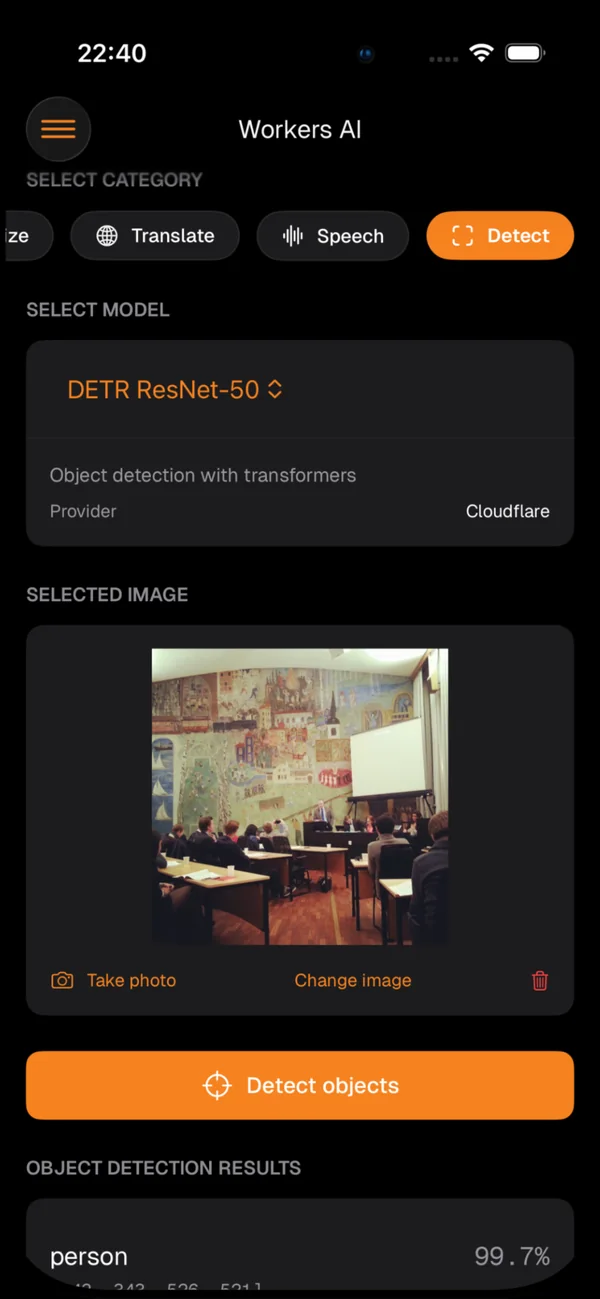
Pick a category and a model, give it a photo, some text or a recording, and read the result. The models run on Workers AI in your own Cloudflare account.
Free and Pro
The free tier is for looking. Clouder Pro, an in-app purchase, is for changing things and for the live tools.
Free
- Every Worker with its last deploy and usage model
- Pages projects, their deployments and build status
- Basic traffic and request analytics
Clouder Pro
- Real-time tail logs and advanced analytics
- Deploy Workers, and add, edit or remove routes
- Pages project details and deployment logs
- Queues, Workers AI models and Vectorize indexes
Before you deploy from a phone
A deploy from Clouder goes live as soon as it finishes, just like one from your laptop, and Clouder does not roll back a failed deploy for you. Keep your Worker's code in version control so you always have the last good version.
With Pro, read-only mode stays on until you switch it off in settings. Leave it on until you mean to change something. The production agreement lists what to check before you write to a live account.
Try it on your own account.
Free on iPhone, iPad and Android. Not affiliated with Cloudflare, Inc.